Key Amazon PPC Metrics: Why 'Good' ACoS Is Killing Your Profit
Table of Contents
Introduction
You’re staring at your campaign dashboard celebrating a 20% ACoS. Exactly what the experts told you to target.
Three months later, your bank account is empty despite optimized campaigns.
Your VA is pausing keywords with 30% ACoS while leaving 15% ACoS keywords running. You have no idea which campaigns are actually making you money.
The metrics everyone tracks don’t tell you if you’re profitable. A good ACoS for a 40% margin product is catastrophic for a 20% margin product. You’re making daily optimization decisions without knowing your break-even point.
Industry benchmarks and competitor ACoS targets are completely irrelevant to YOUR business.
There are only 8 metrics that matter. And most sellers track them wrong.
Shift from reduce ACoS to increase Total Profit. This guide shows you which metrics drive profit, how to calculate your personal thresholds, and how to avoid the 7 deadly tracking mistakes.
What Makes an Amazon PPC Metric “Key”? (The Profit-First Framework)
Not all metrics are created equal. A key metric must directly connect to profit or inform profitable action.
The 3-tier hierarchy separates useful metrics from vanity numbers. Decision metrics answer “should I spend more or less?”. Diagnostic metrics answer why is performance changing. Vanity metrics feel good but drive no action.
ACoS alone fails the test. It ignores your margins, organic lift, and total revenue context.

The Profit-First Metrics Hierarchy: Decision metrics drive action, diagnostic metrics explain performance, vanity metrics waste attention
Decision Metrics: Answer “Should I Spend More or Less?”
Decision metrics tell you what to do. TACoP and Total Profit fall into this category.
These metrics account for your actual costs, margins, and organic sales. They connect directly to your bank account balance. If a metric does not tell you to increase spend, decrease spend, or pause, it is not a decision metric.
Diagnostic Metrics: Answer “Why Is Performance Changing?”
Diagnostic metrics explain what is happening. CTR, CVR, and CPC fall into this category.
CTR drops reveal weak creative or uncompetitive pricing. CVR drops indicate listing quality issues. CPC spikes signal competitive pressure. These metrics don’t tell you what to do. They tell you where to look.
Vanity Metrics: Feel Good But Drive No Action
Vanity metrics include impressions and isolated ACoS. Impressions tell you how many times Amazon showed your ad. But impressions without clicks waste money.
ACoS in isolation is a vanity metric. It becomes useful only when compared against YOUR break-even ACoS. Industry average ACoS is pure vanity. It tells you nothing about your profitability.
The 8 Core Amazon PPC Metrics (And What They Actually Tell You)
Amazon sellers track dozens of metrics. Only 8 actually matter.
Here is what each metric tells you and when to use it.
1. ACoS (Advertising Cost of Sale)
ACoS is ad spend divided by ad revenue times 100. It measures cost efficiency of your ads in isolation.
The critical limitation is that ACoS ignores your profit margins completely. A 20% ACoS could be highly profitable or catastrophically unprofitable depending on your costs.
Use ACoS only when compared against YOUR break-even ACoS. Never use industry benchmarks.
ACoS alone cannot tell you if a campaign is profitable. It is one piece of incomplete data.
2. TACoS (Total Advertising Cost of Sale)
TACoS is ad spend divided by total revenue including organic times 100. It measures whether PPC is cannibalizing organic sales or driving net-new revenue.
TACoS reveals if you’re paying for sales you would get anyway. If TACoS is rising while ACoS stays flat, organic sales are declining. Your ads are replacing free sales with paid sales.
TACoS should trend DOWN over time as organic grows from PPC investment. Stable or rising TACoS signals a problem.
Learn more about the difference between ACoS and TACoS and why both metrics matter.
3. TACoP (Total Advertising Cost of Purchase)
TACoP is total ad spend divided by total orders including organic orders from ad-attributed sessions. It measures true advertising cost per customer when accounting for halo effect.
PPC drives organic purchases. A customer clicks your ad, views your listing, leaves, then returns later to buy organically. Amazon attributes that sale as organic. But your ad caused it.
TACoP captures this organic lift that ACoS ignores completely. Compare TACoP to your profit per order. If TACoP is lower than profit per order, your advertising is profitable.
4. Total Profit
Total Profit is total revenue minus COGS minus Amazon fees minus ad spend. It is the only metric that actually matters.
Sellers ignore Total Profit because it requires knowing your actual margins and fees. But optimizing for anything except Total Profit leads to bad decisions.
The shift is from what is my ACoS to did I make more money this month. Everything changes when you focus on the right outcome.
Profit-First Metrics Calculator
The Math: Product A has $12.50 gross profit ($50 x 25%). Ad spend is $10 ($50 x 20% ACoS). Net profit: $12.50 - $10 = +$2.50. Product B has $9 gross profit ($50 x 18%). Ad spend is $10 ($50 x 20% ACoS). Net profit: $9 - $10 = -$1.00.
5. CTR (Click-Through Rate)
CTR is clicks divided by impressions times 100. It measures how compelling your listing appears in search results.
Low CTR signals weak main image, uncompetitive price, or poor title. Typical CTR is 0.4 to 0.6% but varies by product category.
High CTR with low CVR means your listing is misleading. Your main image or title promises something your product page does not deliver.
CTR is a diagnostic metric. It tells you where to look but not what to do.
6. CVR (Conversion Rate)
CVR is orders divided by clicks times 100. It measures how well your listing converts interested traffic.
Low CVR indicates listing quality issues, pricing problems, or weak reviews. Strong CVR is typically 10 to 15% but varies by category.
CVR drops are listing problems, not PPC problems. Optimize the product page, not the ads.
Understanding why conversion rate is critical for Amazon PPC helps you diagnose performance issues correctly.
7. CPC (Cost Per Click)
CPC is ad spend divided by clicks. It measures how much you pay for traffic.
Rising CPC without rising CVR kills profitability. Control CPC through bid optimization and keyword relevance.
Lowering bids too much sacrifices profitable volume. The goal is not lowest CPC. The goal is profitable spend at any CPC.
8. ROAS (Return on Ad Spend)
ROAS is ad revenue divided by ad spend. It is the inverse of ACoS expressed as a ratio.
A 3.0 ROAS equals 33% ACoS. Some sellers prefer ratios to percentages.
ROAS has the same limitation as ACoS. It ignores margins completely.
| Metric | Purpose | Decision It Drives |
|---|---|---|
| Total Profit | Ultimate goal | Should I continue selling this product? |
| TACoP | True ad efficiency | Is my PPC investment profitable? |
| TACoS | Organic health | Is PPC growing or cannibalizing organic? |
| ACoS | Campaign efficiency | Only useful vs YOUR break-even |
| CTR | Creative performance | Do I need new images or title? |
| CVR | Listing performance | Do I need listing optimization? |
| CPC | Bid efficiency | Are my bids competitive? |
| ROAS | Alternative to ACoS | Preference only |
Calculate YOUR Break-Even ACoS (Not Industry Benchmarks)
Industry benchmarks are useless. A 20% ACoS is profitable for some sellers and catastrophic for others.
Your break-even ACoS depends on YOUR margins, YOUR fees, YOUR costs. Not what other sellers report.
Worked Example
Product selling price is $40. COGS is $12. Amazon fees are $11 (15% referral plus $5 FBA).
Calculation: [($40 - $12 - $11) / $40] x 100 = 42.5% break-even ACoS.
Any ACoS under 42.5% is profitable. Any ACoS over 42.5% loses money.
If you understood what is a good ACoS on Amazon, you know it depends entirely on your break-even point.
Why “20% Target ACoS” Is Dangerous
If your break-even is 42%, you’re leaving massive profit on the table by targeting 20%.
If your break-even is 15%, you’re losing money on every sale at 20% ACoS.
You need YOUR number. Calculate it monthly as costs change.
The Metrics Everyone Tracks Wrong (7 Deadly Mistakes)
Most sellers track the right metrics but analyze them incorrectly. These mistakes destroy decision-making.
Mistake 1: Optimizing at Campaign or Ad Group Level
Making decisions based on campaign-level ACoS mixes profitable and unprofitable search terms together.
A campaign showing 30% ACoS may contain 2 search terms at 60% while 15 search terms run at 18%. Pausing the entire campaign stops your winners.
ALWAYS analyze at search term level. Pause bad terms, not campaigns.
Download your search term report weekly. Consolidate identical terms across campaigns. Calculate profit per term using YOUR break-even ACoS. Then pause or lower bids on unprofitable terms individually.
Mistake 2: Running Multiple Products Per Ad Group
Grouping similar products in one ad group for efficiency makes optimization impossible.
You cannot isolate which product drives performance. Wasted spend on non-converting variants goes unidentified.
One product per ad group. Always. No exceptions.
Mistake 3: Trusting “Exact Match” Precision
Assuming Exact Match equals only that exact term is wrong. Amazon triggers Exact Match for plurals, misspellings, and close variants.
Exact Match yoga mat triggers for yoga mats, yog mat (typo), and yoga mat set.
Check search term reports weekly. Add negative keywords aggressively.
Learn about Amazon PPC negative keywords to control what your Exact Match campaigns actually match.
Mistake 4: Ignoring Organic Lift (Halo Effect)
Pausing ads with high ACoS without checking total impact is dangerous. PPC drives organic rank. Stopping ads often crashes total sales.
Average 30 to 40% of ad-attributed sessions lead to organic purchases later.
Track TACoP and Total Profit, not isolated ad metrics. Account for the full sales impact before pausing campaigns.
Mistake 5: Making Real-Time Optimization Decisions
Changing bids or pausing keywords based on today’s data uses incomplete information. Amazon has 2-day attribution delay.
Weekend sales show up Monday or Tuesday. Prime Day clicks trickle in for 3 days.
If you pause a keyword on Sunday because it has no sales, you cut it off before Saturday’s conversions appear.
Wait 72 to 96 hours after any performance change before taking action. Check metrics weekly for trends, not daily for panic reactions.
Mistake 6: Combining Data Across Different Contexts
Mixing mobile and desktop, dayparting, or seasonal data hides critical patterns. Performance varies dramatically by context.
Monday 8AM performance does not equal Saturday 11PM performance.
Segment your analysis. Compare weekday to weekday, mobile to mobile. Context matters.
Mistake 7: Evaluating Before Accounting for Customer Lifetime Value
Calling first-purchase ACoS unprofitable ignores repeat customers. Repeat customers have zero acquisition cost.
A 50% first-order ACoS is profitable if customers reorder 3 times.
Calculate acceptable CAC based on LTV, not single transaction profit.
How to Use These Metrics Together (The Decision Framework)
Metrics answer different questions. Use them in sequence, not isolation.
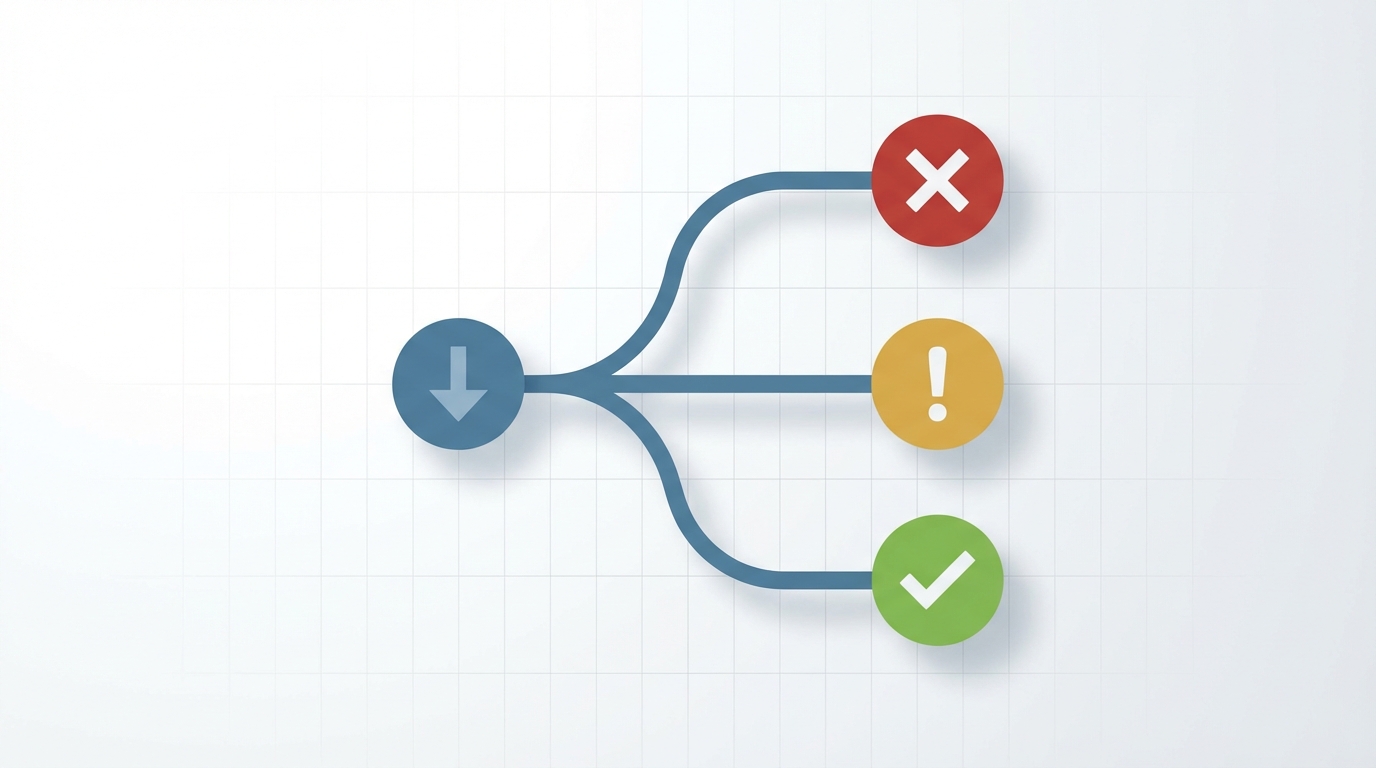
PPC Troubleshooting Decision Tree: Follow the diagnostic path when sales decline
The Weekly Review (Diagnostic Metrics)
Check CTR trends, CVR trends, CPC trends, and search term reports weekly.
CTR drops over 20% signal test new main image. CVR drops over 15% mean check reviews and competitor pricing. CPC rises over 30% require evaluating bid strategy.
New converting terms should be added as Exact Match keywords.
The Monthly Review (Decision Metrics)
Check Total Profit trend, TACoP vs profit per order, TACoS trend, and ACoS vs break-even monthly.
Recalculate break-even ACoS with current costs each month.
Total Profit declining requires deep-dive to search term profitability. TACoP rising means look for wasted spend or organic rank drop. TACoS rising signals PPC may be cannibalizing organic. ACoS above break-even means identify unprofitable terms or products.
For strategies on how to reduce ACoS on Amazon, remember that reducing ACoS is not the goal. Increasing Total Profit is the goal.
The Quarterly Review (Strategic Metrics)
Check Customer Lifetime Value trends, acceptable CAC based on LTV, category profitability shifts, and ad-attributed organic lift percentage quarterly.
LTV increasing means you can afford higher ACoS for acquisition. LTV decreasing means tighten efficiency targets.
Organic lift declining signals listing quality degradation. Category competition rising requires evaluating product viability.
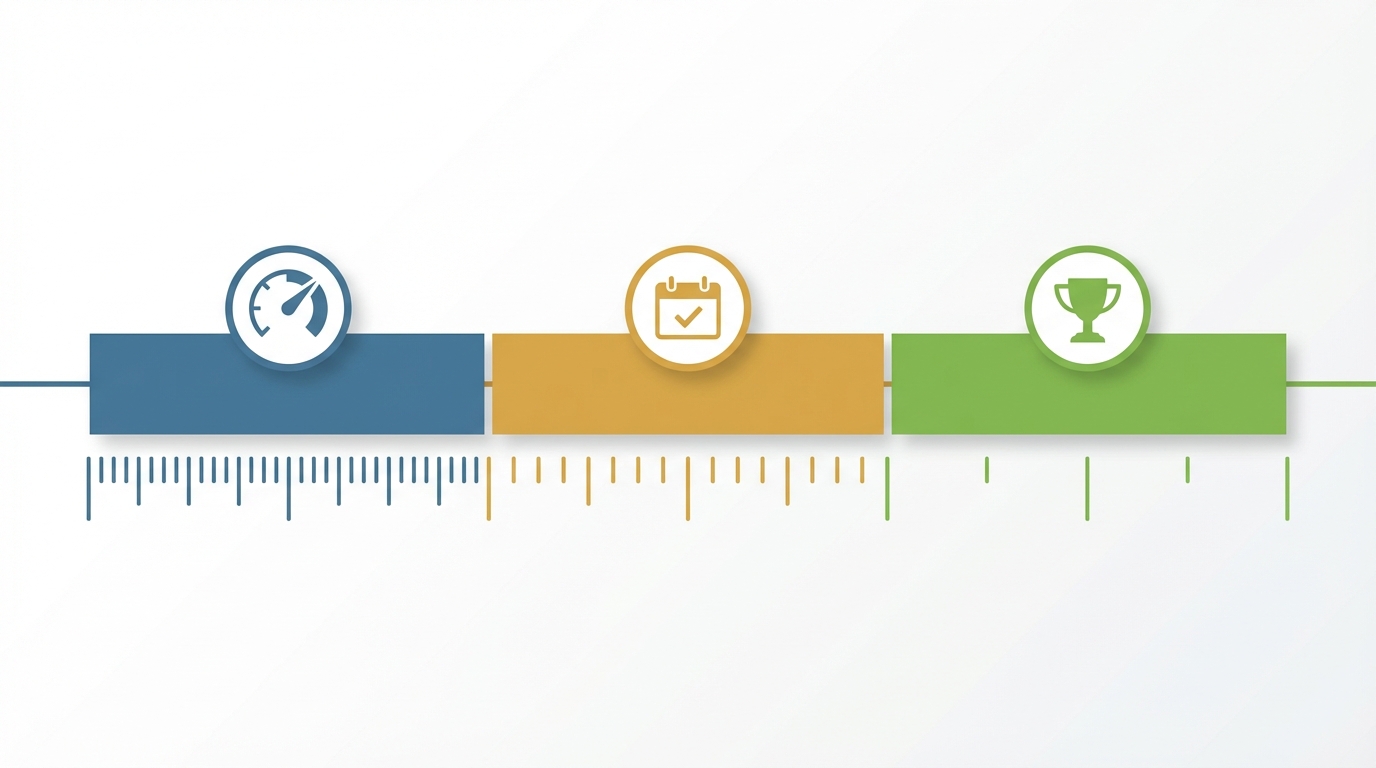
Optimize Your Review Cadence: Weekly for diagnostics, monthly for decisions, quarterly for strategy
Decision Tree Example
Sales dropping? Is Total Profit still growing? YES means don’t panic, efficiency improving. NO means investigate.
Is TACoS rising? Organic dying. Is CVR dropping? Listing problem. Is CPC spiking? Competition increasing.
Follow the diagnostic path. Each metric points to a different root cause.
When Standard Advice Fails (Edge Cases and Nuance)
Standard advice assumes typical private label with 15 to 25% margins. Edge cases require different rules.

Edge Cases Require Different Rules: Match your strategy to your business model
High-Margin Luxury Products (Over 50% Margin)
High-margin products can profitably run 40%+ ACoS. Focus on brand metrics like New-to-Brand and repeat rate.
Lifetime value makes first-purchase ACoS irrelevant. Examples include jewelry, premium supplements, and high-ticket electronics.
Low-Margin Wholesale or Arbitrage (Under 20% Margin)
Break-even ACoS is often under 15%. Requires extreme search term precision.
May not be viable for competitive keywords. Consider: Is PPC sustainable for this model?
New Product Launches (First 90 Days)
Ignore ACoS completely during launch. Focus on review velocity, organic rank movement, and total orders.
Goal is hitting 15+ reviews and page 1 rank, not profitability. Budget is fixed amount, not ACoS-based.
If you’re just starting with Amazon PPC, understand that launch phase metrics differ completely from mature product metrics.
Seasonal Products (Over 60% Revenue in 1 to 2 Months)
Pre-season strategy is aggressive spend for rank. Peak season is harvest mode, tighten efficiency. Post-season maintains minimum presence.
Annual profit matters, not monthly ACoS. Plan budget across the full season cycle.
Subscription or Repeat Purchase Products
First-order ACoS can equal entire first-order profit if customers reorder consistently.
Calculate based on 6-month or 12-month LTV. Example: 80% first-order ACoS is profitable if 60% reorder rate exists.
Track repeat purchase rate from PPC customers vs organic customers.
FAQ: Amazon PPC Metrics
What is a good ACoS for Amazon PPC?
A good ACoS is any ACoS below YOUR break-even ACoS. Your break-even depends on your profit margins, not industry benchmarks.
Calculate: [(Selling Price - COGS - Amazon Fees) / Selling Price] x 100.
A product with 40% margins can profitably run 35% ACoS. A product with 20% margins loses money at 18% ACoS.
What is the difference between ACoS and TACoS?
ACoS equals Ad Spend divided by Ad Revenue. It measures ad efficiency in isolation.
TACoS equals Ad Spend divided by Total Revenue including organic. It measures whether PPC is growing total business or cannibalizing organic sales.
TACoS should trend down as organic grows from PPC investment.
What is TACoP and why does it matter?
TACoP is Total Advertising Cost of Profit - because profit is what actually matters, not the total sale price (which has sales tax, Amazon referral fees, Amazon FBA fees etc. deducted before you ever see it). Formula is Total Ad Spend divided by Total Profit, including organic orders.
TACoP captures the halo effect where PPC drives organic purchases. It gives you the most valuable figure to judge your PPC.
More accurate than ACoS for profitability decisions.
How do you calculate break-even ACoS?
Break-even ACoS equals [(Selling Price - COGS - Amazon Fees) / Selling Price] x 100.
Example: $50 product, $15 COGS, $13 fees equals [($50-$15-$13)/$50] x 100 equals 44% break-even ACoS.
Any ACoS under 44% is profitable for that product.
What is more important: ACoS or Total Profit?
Total Profit is the only metric that actually matters. A campaign with 15% ACoS can lose money if your break-even is 12%.
A campaign with 35% ACoS can be highly profitable if your break-even is 45%.
Always optimize for Total Profit, not lowest ACoS.
What is a good click-through rate for Amazon PPC?
Typical CTR is 0.4 to 0.6% but varies significantly by category, price point, and ad placement.
CTR below 0.3% suggests weak main image, uncompetitive pricing, or poor title. CTR above 0.8% with low conversion suggests misleading listing elements.
But again, these are guide figures. Nothing is set in stone or applies universally.
What conversion rate should I expect from Amazon PPC?
Strong CVR is typically 10 to 15% but highly dependent on category, price, reviews, and competition.
CVR below 8% indicates listing quality issues or pricing problems, not PPC problems. Optimize the listing, not the ads.
How often should I check my PPC metrics?
Search term reports weekly to add negatives and harvest winners. Diagnostic metrics like CTR, CVR, CPC weekly for trend detection.
Decision metrics like Total Profit and TACoP monthly. Strategic metrics like LTV and organic lift quarterly.
Never make optimization decisions on same-day data due to 2-day attribution delay.
Avoid common Amazon PPC mistakes by following a structured review cadence instead of reactive daily changes.
Conclusion
The 8 metrics that drive profit are Total Profit, TACoP, TACoS, ACoS vs YOUR break-even, CTR, CVR, CPC, and ROAS.
ACoS alone is dangerously incomplete. Same ACoS, opposite outcomes depending on margins.
Most sellers track metrics wrong through campaign-level analysis, trusting Exact Match, and ignoring organic lift.
Calculate YOUR break-even ACoS monthly. Industry benchmarks are useless.
The Ultimate Principle
Stop asking what is my ACoS. Start asking did I make more money this month.
The shift from efficiency metrics like ACoS to outcome metrics like Total Profit changes every decision.
You will spend MORE on profitable high-ACoS terms. You will cut spending on unprofitable low-ACoS terms. You will account for organic lift before pausing bad campaigns. You will make decisions based on your business, not someone else’s benchmarks.
Next Action
Calculate your break-even ACoS right now using the formula above. Download last month’s search term report.
Filter for terms with ACoS below your break-even and increase spending. Filter for terms with ACoS above break-even and pause or lower bids.
Track Total Profit monthly, not daily ACoS.